Login
Call Us



Make it easier for your visitors and customers to contact you instantly by adding a modern floating social media contact system to your website.
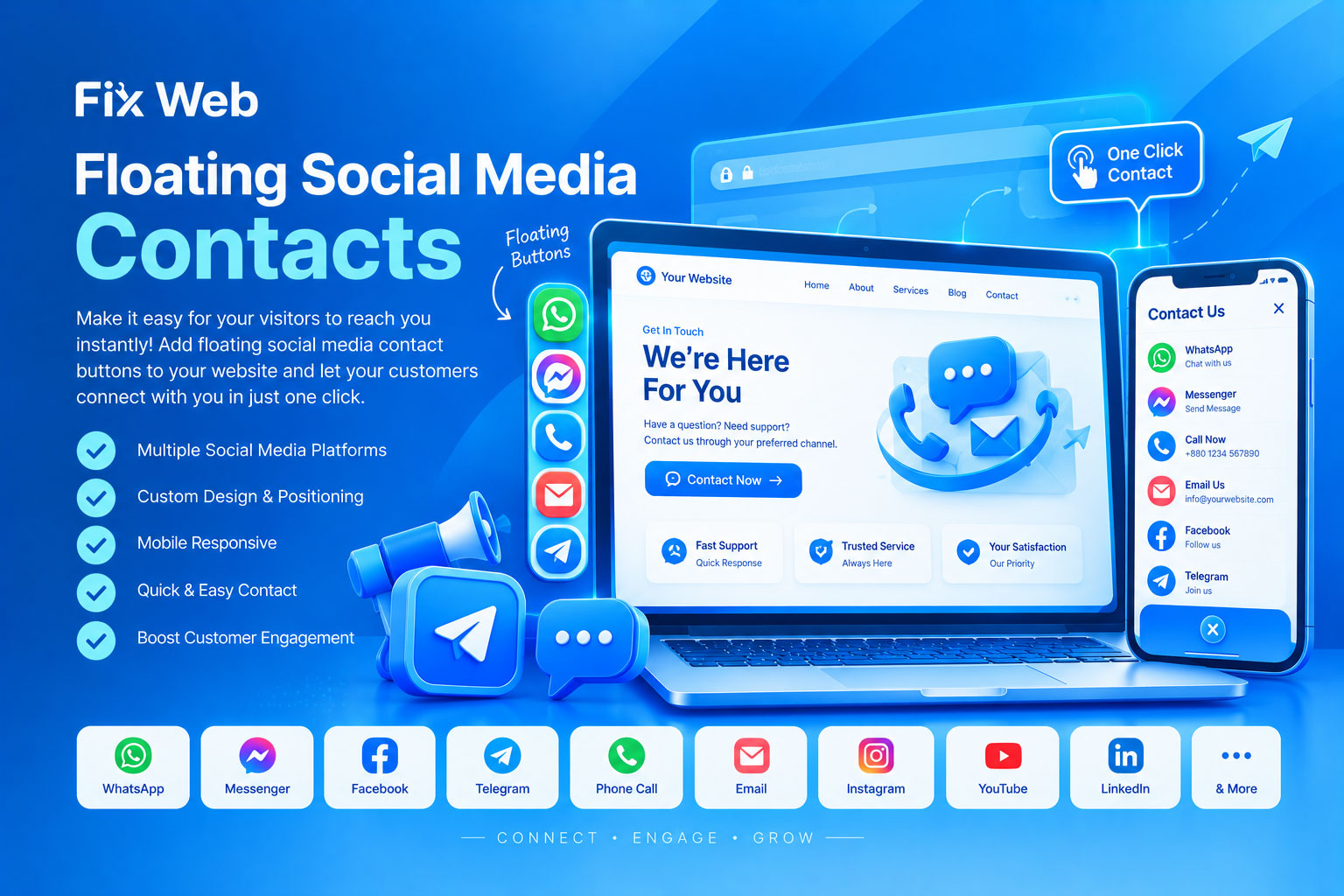
Our Floating Social Media Contacts service adds attractive, responsive contact buttons to your website so visitors can quickly reach you through platforms such as WhatsApp, Facebook Messenger, Telegram, phone calls, email, and other supported social/contact channels.
The floating contact buttons can be positioned on the side or bottom of your website and remain easily accessible while visitors browse different pages.
We can install and customize floating contact buttons according to your website design and business requirements, including:
WhatsApp contact button
Facebook Messenger button
Facebook page/profile button
Telegram contact button
Direct phone call button
SMS contact button
Email contact button
Instagram profile button
YouTube channel button
LinkedIn profile button
Other supported social media/contact links
Multiple social media buttons together
Custom contact buttons
Mobile-friendly floating contact menus
Desktop and mobile-specific positioning
We can customize the appearance of your floating contact system to match your website's branding.
Possible customizations include:
Button size
Button position
Icon style
Button spacing
Border radius
Animation effects
Hover effects
Tooltip/text labels
Background styling
Shadow effects
Desktop positioning
Mobile positioning
Expandable/collapsible menu
Vertical or horizontal button layout
Instead of displaying only one contact button, we can create a floating menu containing multiple communication options.
For example:
Contact Us
→ WhatsApp
→ Messenger
→ Call Now
→ Telegram
→ Email
→ Facebook
→ Instagram
This allows visitors to choose their preferred communication method without searching through your website.
WhatsApp is one of the most useful options for businesses that communicate with customers directly.
We can configure the floating WhatsApp button with:
Your WhatsApp number
Pre-filled message
Custom call-to-action text
Mobile-friendly WhatsApp opening
Desktop WhatsApp/Web support where applicable
Floating button positioning
Example:
“Chat with us on WhatsApp”
A predefined message can also be configured, such as:
“Hello, I would like to know more about your service.”
We can add a floating Facebook Messenger contact option that allows visitors to quickly access your supported Messenger destination.
This can be useful for:
Customer support
Sales inquiries
Service inquiries
Product questions
General communication
For businesses that receive phone calls or emails, we can add direct-action buttons.
On compatible mobile devices, clicking the button can open the phone dialer with your configured number.
Clicking the email button can open the visitor's configured email application with your email address.
Your important social media profiles can also be included in the floating contact system.
Supported links may include:
YouTube
Telegram
TikTok
Other publicly accessible social profiles
The exact platforms depend on your requirements and website implementation.
The floating contact system will be configured with mobile users in mind.
We can adjust:
Button size
Screen position
Spacing
Touch area
Menu behavior
Visibility
Mobile-specific layout
The objective is to keep the buttons accessible without unnecessarily covering important website content.
Floating social media contact buttons can be implemented on many types of websites, including:
WordPress
WooCommerce
Laravel
PHP websites
Custom websites
HTML/CSS/JavaScript websites
Business websites
eCommerce websites
Landing pages
Service websites
Custom web applications
The exact implementation method depends on your website's technology and existing design.
If you don't want simple individual buttons, we can create a more advanced floating contact interface.
For example:
Main Contact Button
When clicked:
WhatsApp | Messenger | Call | Email | Facebook | Telegram
This keeps the website clean while still providing visitors with multiple communication options.
If you already have a floating contact system but it is not working correctly, we can also troubleshoot issues such as:
Button not appearing
Incorrect social media URL
WhatsApp button not opening correctly
Wrong phone number
Messenger link problems
Buttons appearing in the wrong position
Mobile layout problems
Overlapping website content
CSS conflicts
JavaScript conflicts
Icons not displaying
Animation problems
Duplicate floating buttons
Plugin conflicts
Responsive design issues
We first check your website and determine how the floating contact system should be implemented.
We identify the contact platforms you want, their links/numbers, preferred position, and desired design.
The floating buttons are added and styled according to your website's design.
We optimize the buttons for desktop, tablet, and mobile devices.
We test the buttons, links, positioning, and interaction to ensure they work correctly.
After completing the customization, we provide the updated website/service implementation.
To install floating social media contacts, you may need to provide:
Website URL
Required social media profile/page links
WhatsApp number, if applicable
Phone number, if applicable
Email address, if applicable
Preferred button position
Preferred design, if you have one
Example website, if you want a specific style
Website access/source code when required
Never send passwords or sensitive credentials through ordinary chat unless a secure access method is specifically available.
The functionality of individual contact buttons depends on the relevant third-party platform.
For example, WhatsApp, Facebook, Messenger, Telegram, Instagram, and other platforms may change their URLs, policies, authentication methods, or supported features.
We can configure the website-side implementation, but third-party platform availability, account restrictions, API limitations, or policy changes are outside our control.
If the requested floating contact system requires a paid third-party plugin, API, subscription, or premium service, its cost may be separate from our customization charge.
Professional website customization
Clean and modern implementation
Mobile-responsive design
Multiple contact platform support
Existing website integration
Custom styling and positioning
Troubleshooting of existing contact buttons
Careful testing before delivery
Suitable for business and service websites
Yes. Multiple contact options can be added to the same floating contact system, depending on your website and requirements.
Yes. We can generally position the buttons on the left, right, bottom, or another suitable location depending on your website layout.
Yes. Multiple social media and communication links can be included in a floating contact menu.
Yes. Button size, position, icons, spacing, animation, labels, colors, and other visual elements can be customized where technically appropriate.
Yes. We can configure the floating contact system to be responsive and usable on mobile, tablet, and desktop devices.
Yes. If your existing buttons are broken, misplaced, duplicated, or not working correctly, we can inspect and troubleshoot them.
Yes, where supported, a predefined WhatsApp message can be configured for the contact link.
Yes. Direct call and email options can be included alongside social media contact buttons.
Not necessarily. Depending on your website platform and requirements, the feature may be implemented through existing functionality, a plugin, or custom HTML/CSS/JavaScript/PHP/Laravel code.
Yes. We can design the floating contact interface to complement your existing website's appearance and branding.
Don't make visitors search for your contact information.
A properly designed Floating Social Media Contact system keeps your most important communication channels easily accessible while visitors browse your website.
Need WhatsApp, Messenger, Call, Email, Telegram, or other social media buttons on your website?
Fix Web — Professional Website Error Fixing & Customization Service