Login
Call Us



Keep your Laravel website or web application modern, secure, compatible, and easier to maintain with a professional Laravel version upgrade service.
Laravel releases new versions with improvements to performance, security, framework features, PHP compatibility, and developer experience. However, upgrading an existing Laravel project is not always as simple as changing the version number.
A Laravel upgrade can involve Composer dependencies, PHP versions, database compatibility, application code, routes, middleware, authentication, packages, frontend assets, configuration files, and third-party integrations.
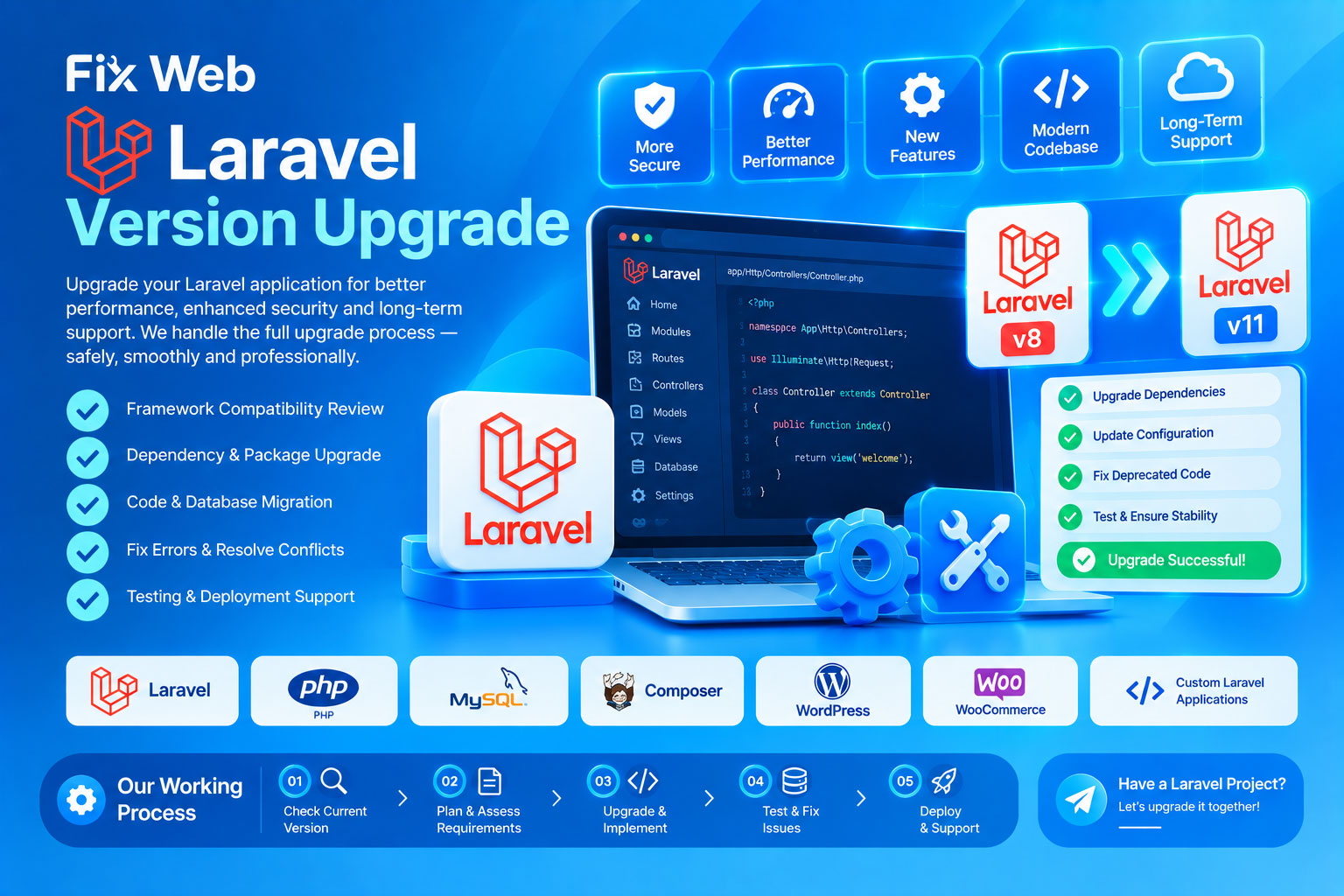
Our Laravel Version Upgrade service helps upgrade your existing Laravel application from an older version to a newer supported version while carefully checking compatibility and existing functionality.
Our Laravel upgrade service may include:
Laravel version upgrade
Laravel framework compatibility review
Composer dependency upgrade
PHP version compatibility checking
Package compatibility checking
Configuration updates
Route compatibility fixes
Middleware compatibility fixes
Controller/code compatibility fixes
Model and database compatibility review
Authentication compatibility fixes
API compatibility checking
Queue/job compatibility fixes
Event/listener compatibility fixes
Cache/session configuration review
Storage configuration review
Frontend asset compatibility
Vite/Mix-related updates where required
Deprecated code replacement
Error fixing after upgrade
Third-party package troubleshooting
Database migration compatibility
Production deployment assistance
Post-upgrade testing
We can help upgrade Laravel applications from older versions to newer versions, depending on the project's current version, target version, dependencies, and technical condition.
For example, an application may require an upgrade from:
Laravel 8 → Laravel 9
Laravel 9 → Laravel 10
Laravel 10 → Laravel 11
Laravel 11 → Laravel 12
Or another supported upgrade path.
The exact upgrade strategy depends on the application's current Laravel version and the target version.
For larger version jumps, upgrading through intermediate versions may be safer than attempting a direct jump.
Laravel versions have specific PHP requirements.
During an upgrade, we can review the relationship between:
Laravel → PHP → Composer → Packages → Server
For example, an older application may depend on an older PHP version while the target Laravel version requires a newer PHP release.
We can review and address supported PHP compatibility issues where the hosting/server environment allows the required changes.
If the hosting provider does not support the required PHP version, server or hosting changes may be necessary.
Laravel applications commonly depend on Composer packages.
During an upgrade, we can review:
composer.json
composer.lock
Laravel framework dependency
Third-party packages
Package version conflicts
PHP requirements
Deprecated dependencies
Incompatible packages
We can troubleshoot Composer errors such as:
Dependency conflicts
Version conflicts
Package requirement errors
PHP version conflicts
Missing packages
Incompatible package versions
If you have already attempted a Laravel upgrade and the website stopped working, we can troubleshoot the resulting errors.
Common issues may include:
HTTP 500 errors
Class not found
Method not found
Undefined method errors
Dependency errors
Composer errors
Route errors
Middleware errors
Authentication errors
Database errors
Migration errors
Configuration errors
View/template errors
Package conflicts
PHP fatal errors
Deprecated functionality
JavaScript/build errors
We first identify the underlying compatibility issue rather than simply hiding the error message.
Laravel upgrades can introduce changes to framework APIs and application behavior.
Existing code may contain:
Deprecated methods
Deprecated helpers
Old syntax
Outdated package integrations
Changed framework behavior
Incompatible interfaces
Old authentication implementations
Legacy configuration
Where required, we can update affected application code to work with the target Laravel version.
Laravel upgrades may also require database-related checks.
We can review:
Migrations
Models
Relationships
Query Builder usage
Eloquent queries
Database configuration
Column definitions
Database connection settings
If an upgrade causes database-related errors, we can troubleshoot the application/database interaction.
A database backup is strongly recommended before performing significant upgrade work.
If your application contains authentication functionality, we can check compatibility of:
Login
Registration
Password reset
User sessions
Authentication middleware
Roles and permissions
Admin authentication
User dashboards
The exact work depends on the authentication system and packages used by your application.
If your Laravel application provides or consumes APIs, we can check relevant functionality after the framework upgrade.
This may include:
REST APIs
API routes
Authentication
API middleware
JSON responses
External API requests
Webhooks
Payment integrations
Courier integrations
Third-party services
Third-party API behavior remains dependent on the external provider.
Laravel upgrades may affect frontend asset compilation and related tooling.
Where applicable, we can review:
Vite
Laravel Mix
JavaScript dependencies
CSS dependencies
npm packages
Build configuration
Asset paths
Production builds
If the project uses a custom frontend framework or build system, additional compatibility work may be required.
Many Laravel applications use packages for additional functionality.
Examples include packages for:
Authentication
Permissions
Payment
Admin panels
Media management
PDF generation
Notifications
APIs
eCommerce
Reports
File management
Before upgrading, package compatibility should be reviewed because an incompatible package can prevent the application from running correctly.
A Laravel upgrade is not limited to application code.
We can also review relevant server-side requirements such as:
PHP version
PHP extensions
Composer
Web server configuration
File permissions
Storage links
Environment configuration
Queue workers
Cron jobs
Cache configuration
Server-level changes depend on your hosting environment and available access.
If you purchased a Laravel-based application or CodeCanyon script and want to upgrade its Laravel version, we can review the script and determine the upgrade requirements.
This may involve:
Existing custom modifications
Vendor packages
License-related components
Database structure
Admin panel
User panel
Payment gateways
Courier integrations
Third-party APIs
For heavily customized or encoded scripts, upgrade feasibility must be assessed before work begins.
We identify the current Laravel version, PHP version, Composer version, and relevant dependencies.
We determine the requested target Laravel version and review its technical requirements.
Composer packages and third-party dependencies are checked for compatibility.
Before major changes, we recommend taking complete backups of the application and database.
Laravel, Composer dependencies, configuration, and required application code are updated according to the upgrade plan.
Any errors caused by framework or dependency changes are identified and corrected where feasible.
We test important website functionality, including relevant frontend, backend, authentication, database, APIs, and other existing modules.
After testing, the upgraded application can be deployed to the production environment where deployment access and server compatibility allow it.
For a Laravel version upgrade, you may need to provide:
Website/application URL
Current Laravel version
Target Laravel version
PHP version
Hosting/server information
Source code
Database access when required
Composer configuration
Existing error messages
List of important custom features
Third-party API information where relevant
Please provide only the access required for the agreed work and use a secure method for sensitive credentials.
Laravel upgrades can vary significantly in complexity.
A simple Laravel application may require relatively minor changes, while a heavily customized application can require substantial development work.
Upgrade complexity may increase when the project contains:
Large version jumps
Old PHP versions
Abandoned packages
Custom framework modifications
Obsolete dependencies
Encoded/obfuscated code
Hard-coded functionality
Poorly structured source code
Custom third-party integrations
Outdated frontend tooling
Previous developer modifications
We do not guarantee that every Laravel application can be upgraded to every target version before reviewing the source code and dependencies.
If the application requires substantial redevelopment rather than a normal version upgrade, that work may be quoted separately.
Before beginning a major Laravel upgrade, we strongly recommend maintaining:
Complete source-code backup
Complete database backup
.env backup where appropriate and securely stored
Uploaded-file backup
Existing production configuration backup
This provides a recovery option if an unexpected compatibility issue occurs.
Professional Laravel upgrade service
Framework compatibility assessment
Composer dependency management
PHP compatibility review
Upgrade error fixing
Database compatibility checking
API and third-party integration review
Existing functionality testing
Support for custom Laravel applications
CodeCanyon Laravel script support
Practical upgrade approach
Yes. We can review the current Laravel version, PHP version, dependencies, and application structure and determine the appropriate upgrade path.
We can assess your application and upgrade it to a suitable target version where the application's code, dependencies, server environment, and third-party components support the upgrade.
Yes. When the target Laravel version requires a newer PHP version, PHP compatibility can be included in the upgrade process where the hosting/server supports it.
We aim to preserve existing functionality and test important features after the upgrade. However, major framework and dependency changes can require modifications to existing code.
Yes. We can inspect the errors and determine what is preventing the application from working correctly.
Yes. Composer dependency conflicts and compatibility problems can be investigated and resolved where compatible package versions are available.
Yes, provided the script's source code, license terms, dependencies, and architecture allow the requested upgrade.
Some upgrades may involve migrations or database-related changes. A complete database backup is strongly recommended before beginning major upgrade work.
Potentially, depending on the hosting provider's PHP version, Composer availability, server configuration, extensions, and other requirements.
Yes, we can assess it. However, heavily customized or outdated applications may require additional compatibility development.
Not necessarily. A newer Laravel version may provide improvements, but website performance depends on many factors including application code, database queries, hosting, caching, frontend assets, and third-party services.
No responsible upgrade service can guarantee this without first assessing the application. We test and troubleshoot the upgraded system, but third-party packages, server environments, custom code, and external services can introduce unexpected compatibility issues.
Running an outdated Laravel application can make maintenance, security, compatibility, and future development more difficult.
A properly planned Laravel Version Upgrade can give your application a stronger foundation for future maintenance and development.
Contact Fix Web today with your current Laravel version and target version.
Fix Web — Professional Website Error Fixing & Customization Service